TL;DR: Secrun is out. It is a small binary you download from the new Commands tab of a HackerGPT CTF session and run on a Linux or macOS machine you control; while it is connected, the model runs real commands there, reads the real output and explains each step. Every command is logged in the session and every file it produces stays in your folder.
Until now, a CTF session could browse the target, watch its traffic and send HTTP requests. Today CTF Mode gets a shell, and that changes what you can learn from a session: not a description of what a command would probably do, but the command, what it actually returned, and why the model chose the next one.
What is new in this release?
CTF sessions can now execute commands on your own machine through Secrun, and show you every one of them.
- A Commands tab in every CTF session, next to Browser, Network, HTTP and Memory. Download Secrun there and follow every command it runs.
- Real execution. The model sends a command, Secrun runs it with
bashon your machine, and the output comes back to the model. Its next step is based on what the target really returned. - Your tools. Whatever is installed on that machine, from
curl,jqandpython3to the scanners you already use, is available to the session. Start Secrun withsudoand it can install what is missing. - Your network. Commands leave from your machine. A challenge that is only reachable from there, such as an event VPN or a lab VM on your own network, is now within the session's reach.
- A complete log. Each command appears with its exit code, run time and output size, with a copy button to rerun it yourself.
- A workspace you keep. Scan output, downloaded files and command logs are written to the folder you started Secrun in, ready for your write-up.
- Linux x86-64, Linux ARM64 and macOS on Apple silicon from day one.
Why does a real shell matter for learning?
Because you learn the method by watching it work on a real target, and a shell is where much of that work happens.
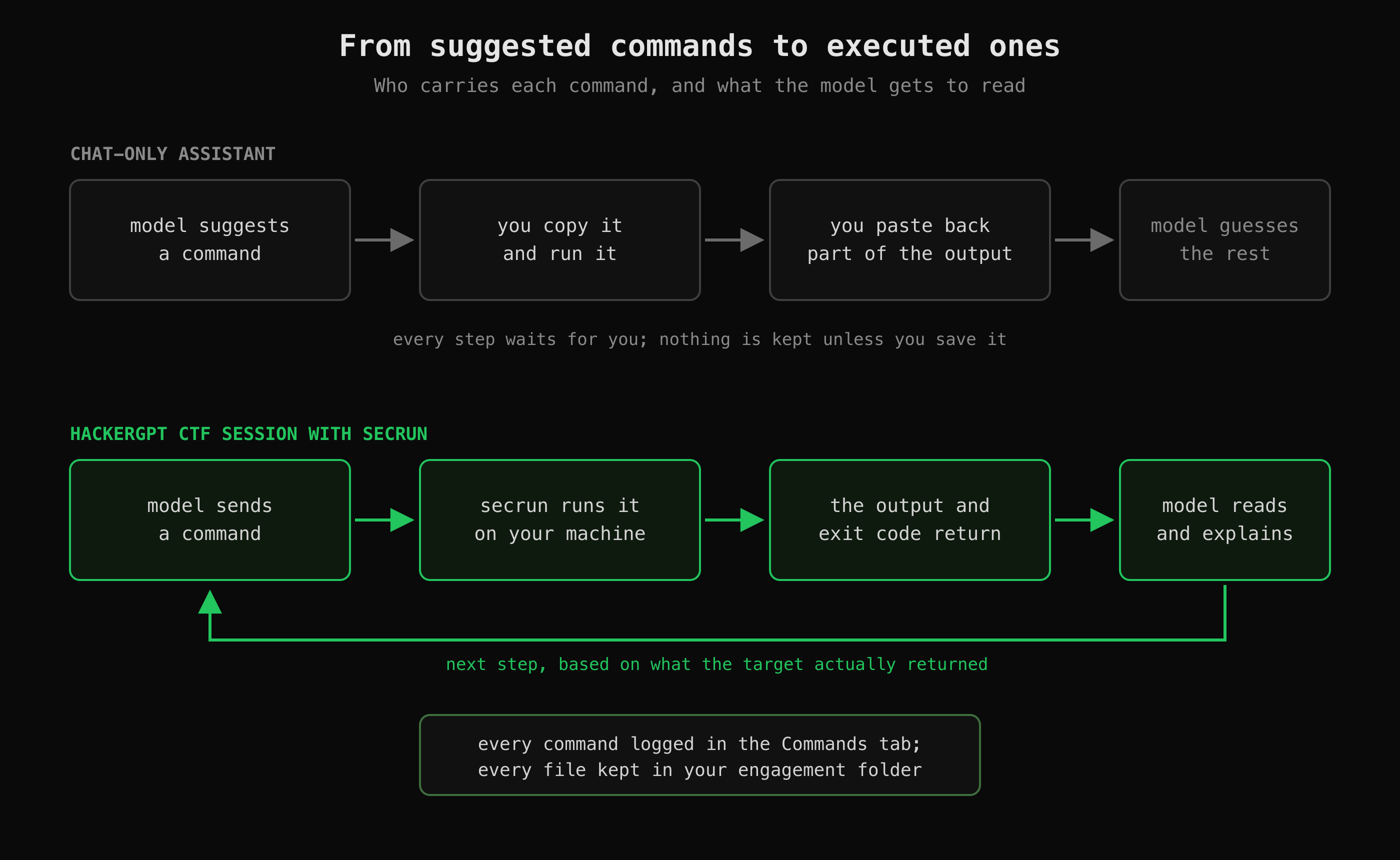 With a chat-only assistant you are the courier for every command. With Secrun the loop closes on its own, and you watch it.
With a chat-only assistant, every command passes through you: it suggests, you copy and run, you paste back the part of the output you think matters, and it reasons from that fragment. The slowest part of the loop is you, and the model works from whatever you chose to paste.
With Secrun the loop closes on its own. The model reads what came back, error messages, status codes, the odd field in a JSON response, and adjusts. You are no longer the courier; you are the student watching a practitioner work, with the reasoning written out next to every step and the exact command one click away.
What does it look like in a session?
Here is part of the Commands log from one of our CTF sessions:
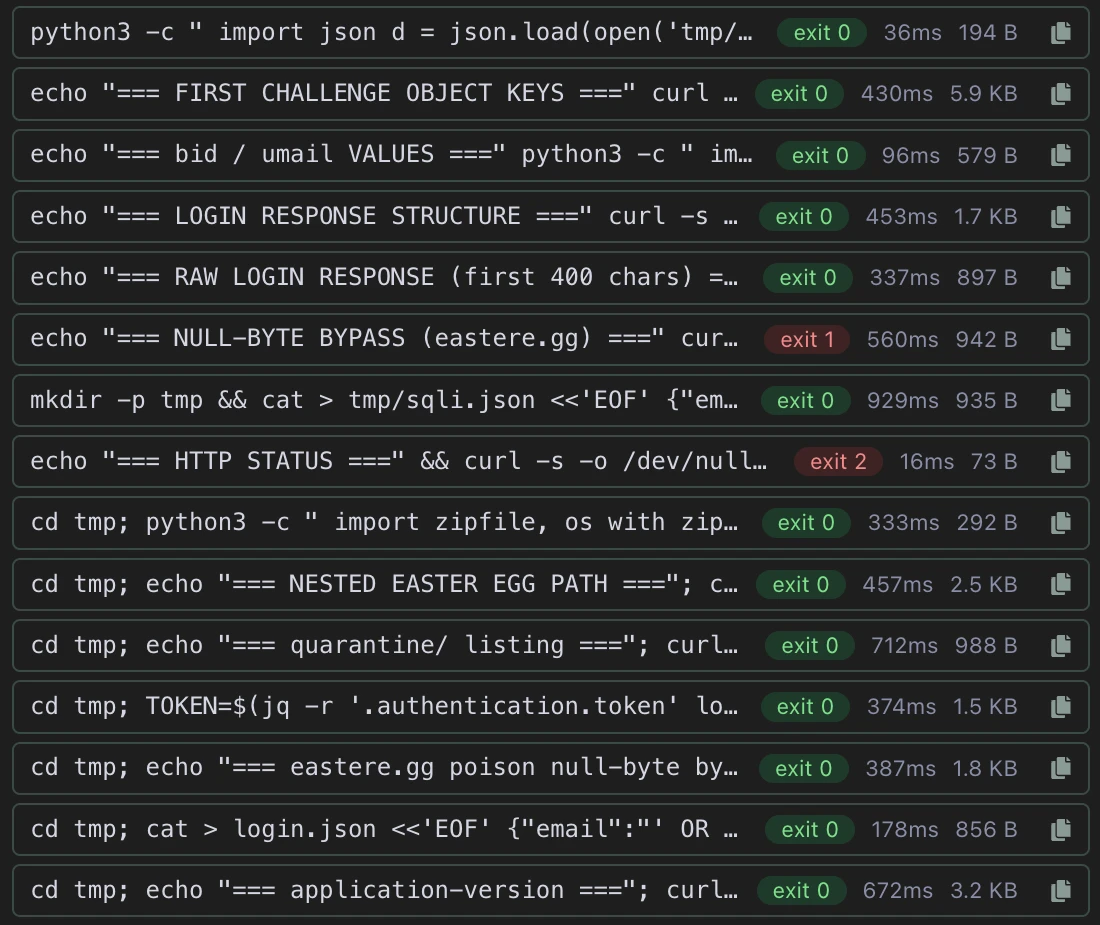 Part of the Commands log from one of our CTF sessions. Every command, its exit code, run time and output size.
It reads like a practitioner's terminal history, because that is what it is. The model labels each probe (echo "=== LOGIN RESPONSE STRUCTURE ==="), saves request bodies to files in a tmp/ folder and reuses them in later commands, pulls a token out of a saved response with jq, and moves on. Two commands in the log failed, with exit codes 1 and 2; they stay in the log next to the ones that worked, so you see what was tried, not only what succeeded.
Every one of those lines is a command you can copy, run yourself and change. That is the learning loop this release is built for.
Who controls what runs?
You do. Secrun is designed so that the session can act on your machine only while you let it, and only within limits you choose.
| You decide | How |
|---|---|
| Whether it runs at all | It works only while ./secrun is running in your terminal. Ctrl-C stops it. |
| What it may run | It runs the commands the model sends from your session, and nothing else. |
| Whether it can install software | Only if you start it with sudo ./secrun. |
| Where its files go | The directory you start it in. Use a fresh one per engagement. |
| Which machine it touches | Run it in a dedicated VM or container rather than on your daily laptop. |
The download is tied to you: it carries your token and a client certificate. Treat it like a password, never share or commit it, and if a copy may have leaked, download a new one: the previous build stops working the moment you do.
As with every HackerGPT feature, point it only at a CTF you are entered in, CyberGym, your own site, or a target you have written permission to test. Check the rules of the competition you entered, too: some allow AI assistants and some do not.
How do I start?
Start a CTF session, open the Commands tab, and download the build for your platform.
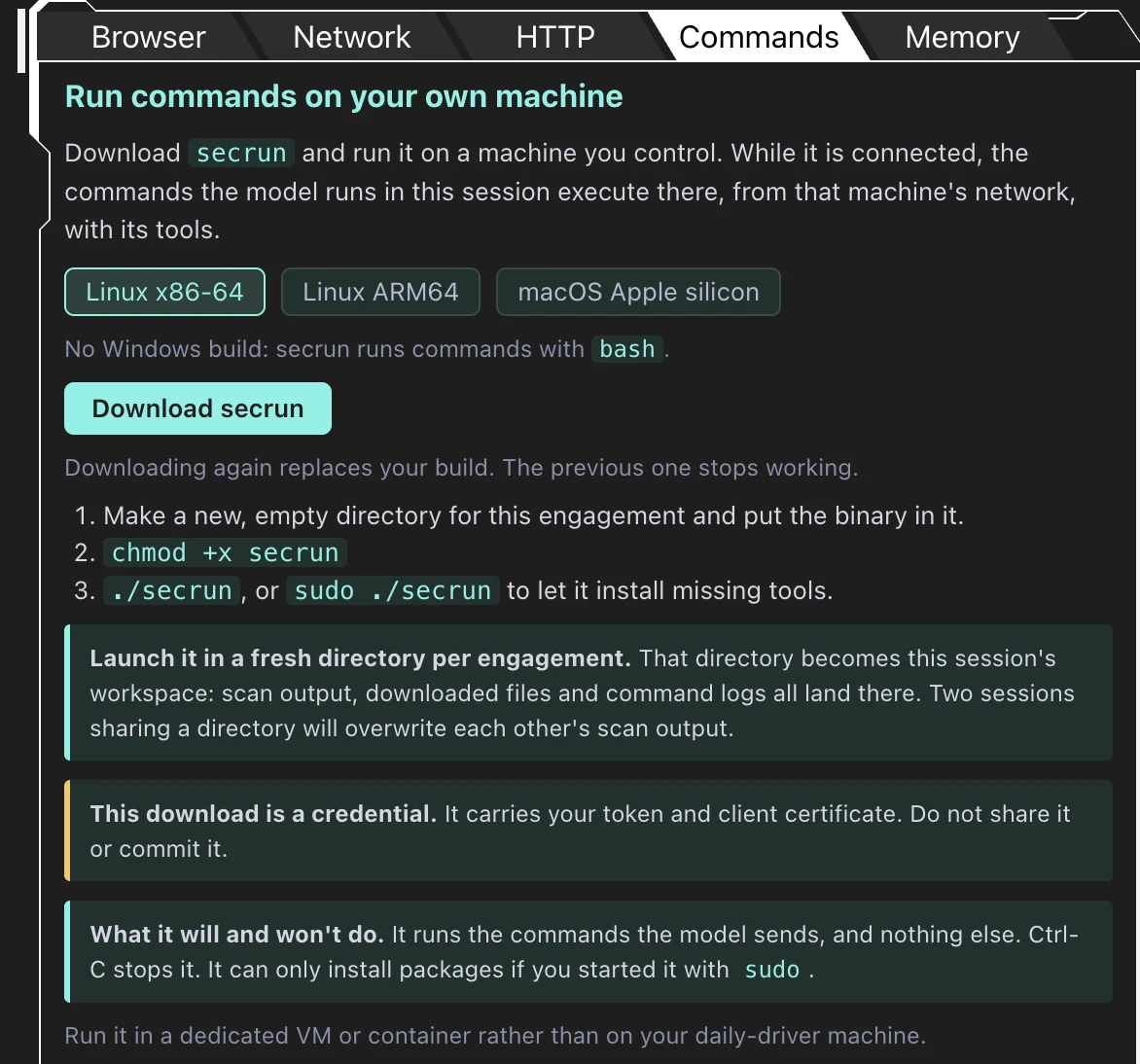 Where Secrun lives: the Commands tab of a CTF session.
Then, in a terminal:
mkdir -p ~/ctf/my-event && cd ~/ctf/my-event
mv ~/Downloads/secrun .
chmod +x secrun
./secrun
On macOS the first launch is blocked until you approve it once in System Settings → Privacy & Security → Security → Open Anyway. The full walkthrough for both systems, including which build to pick and how to run it in a VM, is in Secrun: let HackerGPT run commands on your own machine.
New to CTFs? Start with CTF for beginners: start with web challenges, then give your next session a shell.
Secrun is available now in CTF sessions at hackergpt.app.