TL;DR: Secrun is a small binary from the Commands tab of a HackerGPT CTF session. Run it on a dedicated Linux or macOS machine and the session executes real commands there, with that machine's tools and network, and reads the real output. Setup: put it in an empty folder, chmod +x secrun, ./secrun; on macOS, approve it once under Privacy & Security → Open Anyway.
Use it only against a CTF you are entered in, CyberGym, your own site, or a target you have written permission to test (the rules of legal hacking).
What does Secrun do?
It gives a CTF Mode session a shell. The model sends a command, Secrun runs it with bash on your machine, and the output and exit code go back to the session, which decides the next step from what the target actually returned.
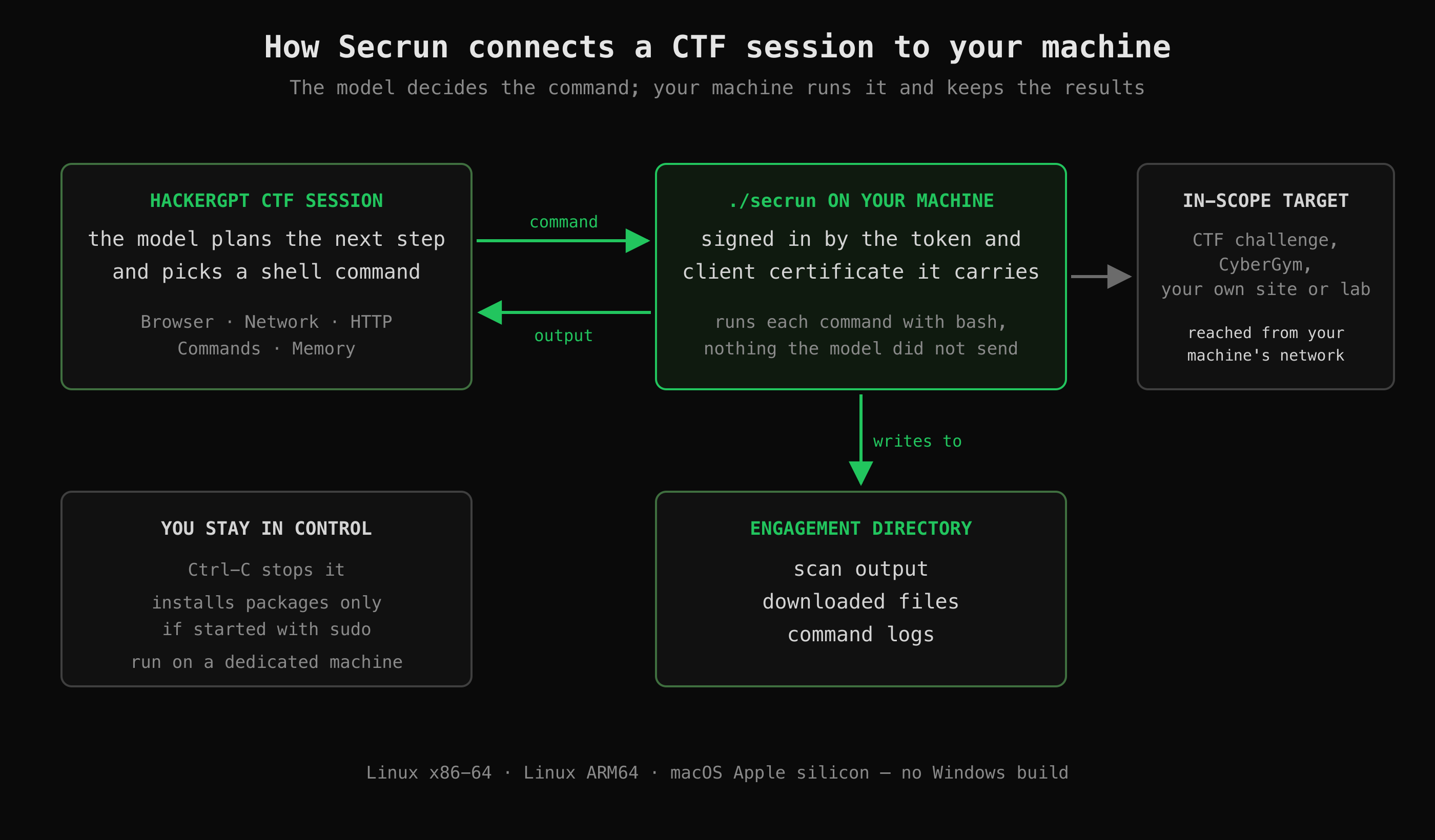 The session decides what to run; Secrun runs exactly that on your machine and keeps every result in the engagement directory.
| Property | Behaviour |
|---|---|
| What it runs | Only the commands the model sends from your session |
| Where | On your machine, from your network: an event VPN or a local lab VM is in reach |
| Tools | Whatever is installed there (curl, jq, python3, nmap, …) |
| Privileges | Your user. Started with sudo, it can also install missing packages |
| Output | Scan output, downloads and command logs are written to the folder you start it in |
| Identity | The binary carries your token and a client certificate. Treat it as a credential |
| Stop | Ctrl-C |
What do I need before I start?
- A HackerGPT CTF session (hackergpt.app).
- A dedicated Linux or macOS machine with
bash(a laptop, VM or server instance) that can reach the CTF target. - The right build. Check the architecture with
uname -m:
uname -m |
OS | Build |
|---|---|---|
x86_64 |
Linux | Linux x86-64 |
aarch64 |
Linux | Linux ARM64 |
arm64 |
macOS | macOS Apple silicon |
There is no Windows or Intel Mac build; on those, use a Linux VM.
How do I download Secrun?
In your CTF session, open the Commands tab, select your platform and click Download secrun.
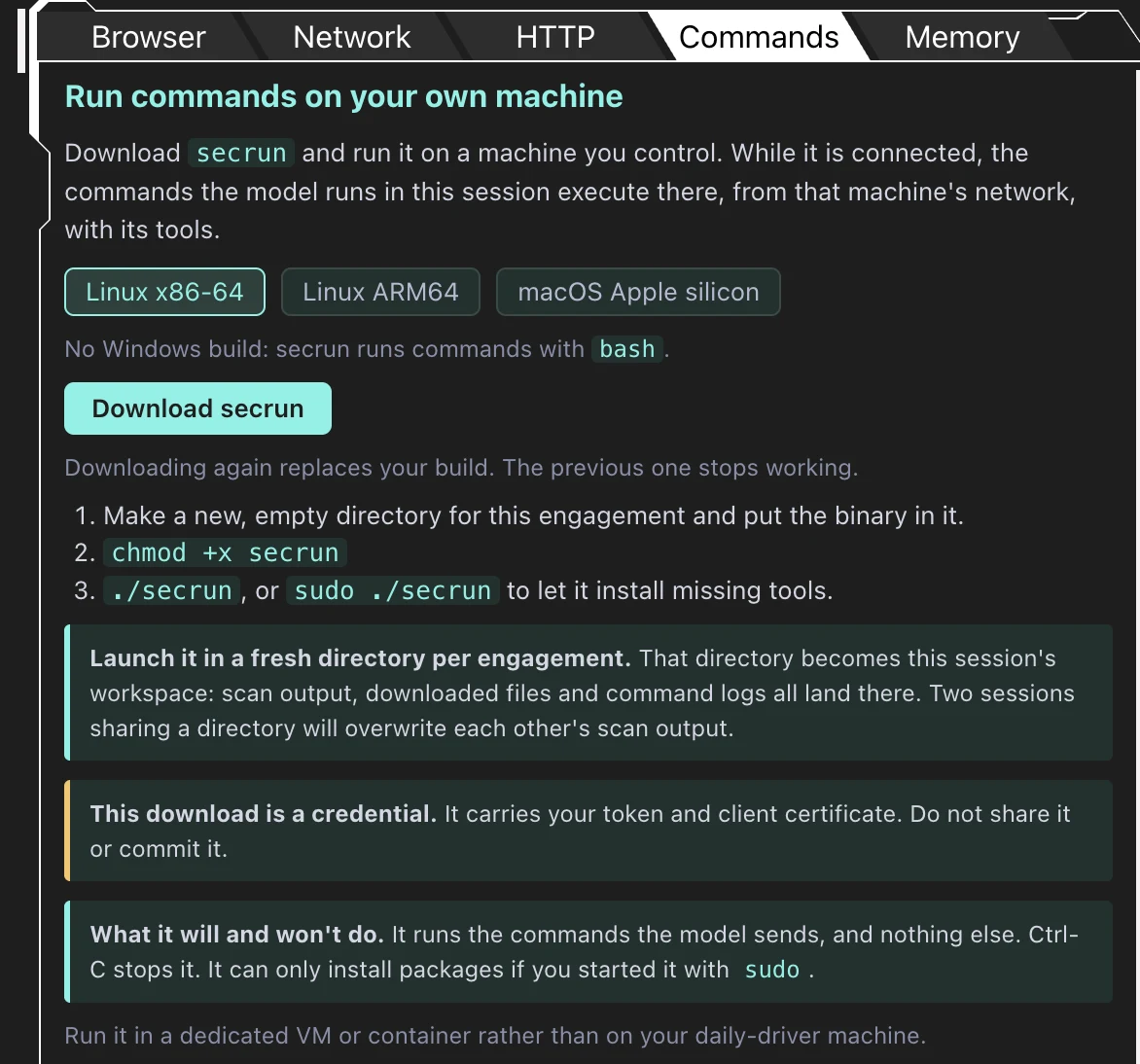 The Commands tab of a CTF session: pick your platform and download.
Every copy you download works with your CTF session, including earlier downloads. Run only one Secrun at a time: if more than one is running, the session picks one of them to run its commands.
How do I install and run Secrun on Linux?
Create one empty folder per CTF session, move the binary in, make it executable and start it:
mkdir -p ~/ctf/my-event && cd ~/ctf/my-event   # one folder per CTF session
mv ~/Downloads/secrun .
chmod +x secrun                                # browser downloads are not executable
./secrun   # or: sudo ./secrun for more rights (it can then install missing tools)
Keep the terminal open: Secrun works while it runs. Use a separate folder for each CTF session so files for different targets stay apart.
How do I install and run Secrun on macOS?
The same steps as on Linux, plus a one-time approval: macOS Gatekeeper blocks downloaded programs that are not from the App Store or an identified developer.
1. Install and start it (download the macOS Apple silicon build first):
mkdir -p ~/ctf/my-event && cd ~/ctf/my-event
mv ~/Downloads/secrun .
chmod +x secrun
./secrun   # or: sudo ./secrun for more rights (it can then install missing tools)
2. Approve the blocked launch. macOS shows a dialog saying it could not verify secrun. Click Done, then open System Settings → Privacy & Security, scroll to Security and click Open Anyway next to the message about secrun. Confirm with your password or Touch ID.
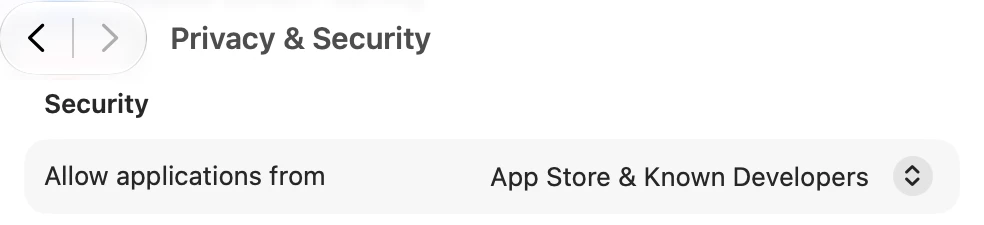 System Settings → Privacy & Security → Security. After a blocked launch, the Open Anyway button for secrun appears here.
Apple keeps the button available for about an hour after the blocked launch (Open a Mac app from an unknown developer). If it is gone, run ./secrun again and return to the Security section.
3. Start it again:
./secrun # or: sudo ./secrun for more rights (it can then install missing tools)
Choose Open Anyway if macOS asks once more. A new download is a new file and needs the same approval. Approve only this file; do not lower Gatekeeper for all apps.
How do I check that Secrun is working?
While ./secrun is running, the CTF session in your browser picks it up and runs its commands in that terminal. Ask the session for something harmless that needs a shell, for example: "Run uname -a and whoami and tell me which machine you are on." The command appears in the Commands tab with exit code 0, and the answer names your machine.
From there, work the challenge as usual; the Memory tab and mid-run steering from HackerGPT 0.5.7 work as before. Every command is logged with its exit code, run time and output size, with a copy button to rerun it yourself:
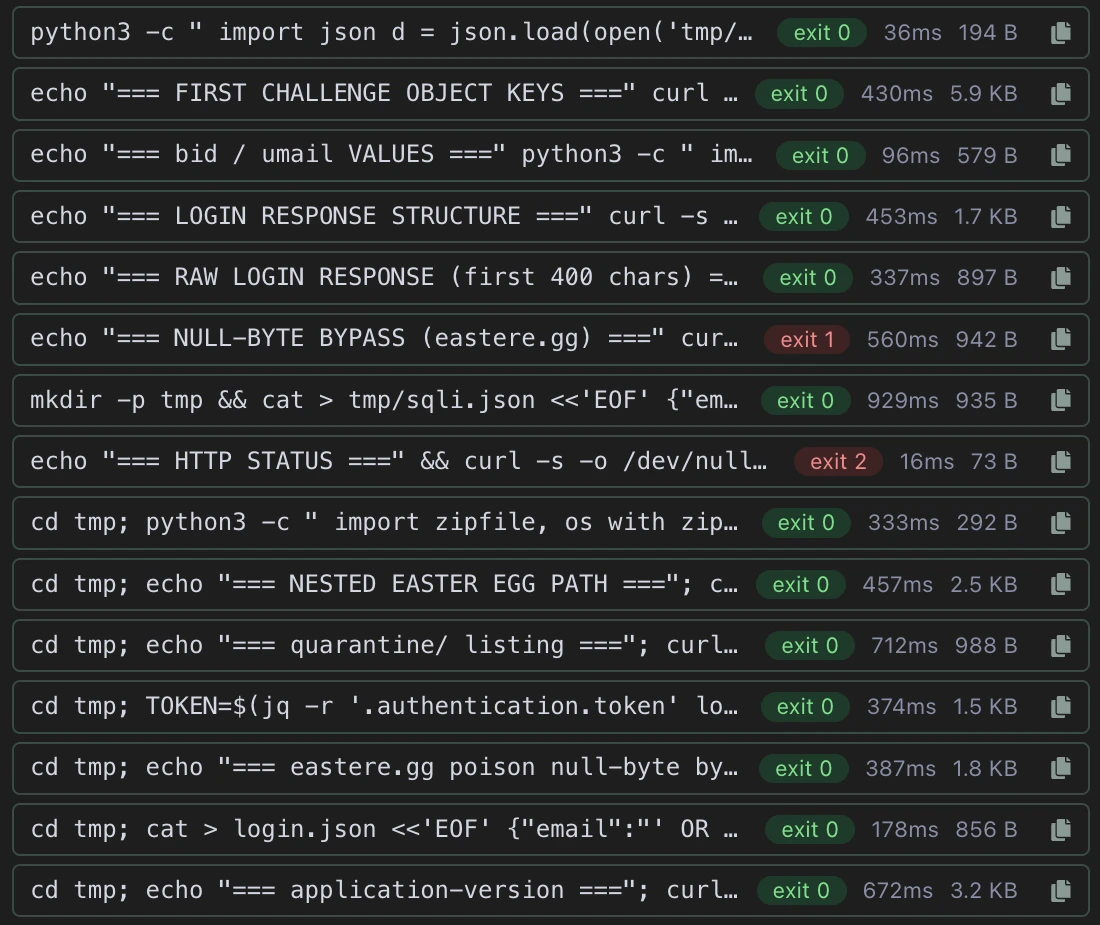 Commands log from one of our CTF sessions: every command with its exit code, run time and output size.
The log above shows the pattern: labelled probes (echo "=== ... ==="), request bodies saved to tmp/ and reused, a token extracted with jq, and two failed commands (exit 1 and 2) kept next to the ones that worked. New to web challenges? Start with CTF for beginners.
How do I run Secrun safely?
- Run it on a dedicated laptop, VM or a server instance with network access to the CTF target.
- Keep non-CTF related credentials off that machine.
- Run only one Secrun at a time.
- Never share or commit the binary.
- Press Ctrl-C when the session ends.
FAQ
Why does macOS say it cannot open secrun?
Gatekeeper blocks programs downloaded from the internet that are not from the App Store or an identified developer until you approve them. Open System Settings → Privacy & Security, scroll to Security and click Open Anyway next to the message about secrun, then run ./secrun again.
Should I run Secrun with sudo?
Only if you want it to install missing tools. Without sudo it runs commands as your user and cannot install packages.
Is there a Windows or Intel Mac version?
No. The builds are Linux x86-64, Linux ARM64 and macOS on Apple silicon. On Windows or an Intel Mac, run the Linux build in a Linux VM.
What happens if I download Secrun again?
Earlier copies keep working: every build you download works with your CTF session. If several are running, the session picks one of them, so run only one at a time. On macOS the new file needs the Open Anyway approval once more.
Sources
- Apple: Open a Mac app from an unknown developer
- Apple: Safely open apps on your Mac
- Linux man-pages: uname(1), chmod(1)